

Let’s learn how to link Aadhaar with PAN and Mobile Number. Aadhaar and PAN are two important identity documents in India. The Unique Identification Authority of India (UIDAI) issues Aadhaar, while the Income Tax Department issues PAN.
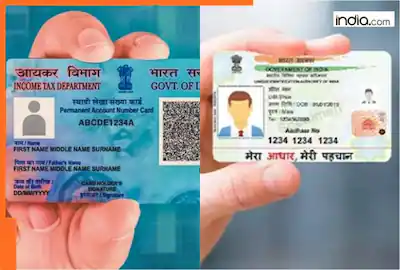
Both documents are used for identification, banking, tax filing, and other financial activities.
Linking Aadhaar with PAN is important because an unlinked PAN may become inoperative,
affecting certain financial transactions. Keeping your mobile number registered with Aadhaar
is equally important because it allows you to receive OTPs and access online services.
Here is a simple guide explaining how to link Aadhaar with PAN and register or update your
mobile number.
- How to Link Aadhaar with PAN Online
You can link Aadhaar with PAN through the official Income Tax Department website
without visiting an office.
Visit the Official Website
Open the Income Tax Department’s official website at https://www.incometax.gov.in/. Find
the Quick Links section on the homepage and select “Link Aadhaar.”
Enter Your Details
Enter your ten-character PAN and twelve-digit Aadhaar number in the required fields. Check
both numbers carefully before proceeding. Click the validation button to continue.
Pay the Applicable Fee
If a fee is applicable, the portal will guide you through the payment process. Select the e-Pay
Tax option and enter the required details. Choose the appropriate payment category and
complete the transaction. A fee of ₹1,000 generally applies to delayed PAN-Aadhaar linking.
However, check the current requirements on the official portal before paying.
Submit Your Request
After payment, return to the Link Aadhaar service. Enter your PAN and Aadhaar details
again, if requested. Verify the information and submit your linking request.
If your payment does not appear immediately, wait a few working days before trying again.
Check Your Status
Visit the Income Tax Department website and select “Link Aadhaar Status.” Enter your PAN
and Aadhaar numbers to check whether your documents have been linked successfully. - How to Register or Update Your Mobile Number with Aadhaar
A mobile number registered with Aadhaar helps you receive OTPs for authentication and
access various online services. However, registering a new number or changing an existing
number generally requires a visit to an authorised Aadhaar centre.
Find an Aadhaar Centre
Visit the official UIDAI website at https://uidai.gov.in/. Use the centre locator to find an
authorised Aadhaar enrolment or update centre near you. Check the location and opening
hours before visiting.
Carry Your Aadhaar Details
Carry your Aadhaar card or keep your Aadhaar number available. Inform the operator that
you want to register a new mobile number or update your existing one.
Follow the instructions provided by the operator and complete the required verification.
Provide Your Mobile Number
Give the operator the mobile number you want to register. Check that the number is correct
before the request is submitted.
The operator will process your request and provide an acknowledgement slip containing an
update request number, where applicable. Keep this slip safe for future reference.
Track Your Request
Use the available UIDAI tracking service to check your request’s progress. Once the update is
completed, you can use your registered number for Aadhaar-related OTP services.
Remember that updating your Aadhaar mobile number does not automatically link your
Aadhaar with PAN. Both processes are separate. - Can You Complete These Processes on Your Phone?
Yes, you can link Aadhaar with PAN using a smartphone and an internet connection. Open
the official Income Tax Department website in your mobile browser and follow the
instructions.
You do not necessarily need to install another application. Keep your PAN, Aadhaar number,
and an active mobile number available while completing the process.
However, registering or changing the mobile number associated with Aadhaar generally
requires visiting an authorised centre. You cannot usually complete this update entirely
online. - Common Problems and Their Solutions
Name mismatch: If your name or date of birth differs between your Aadhaar and PAN records,
correct the information in the relevant document before attempting to link them again.
Payment not showing: Allow a few working days for your payment to appear on the portal. - Avoid making another payment until you have checked the status of the first transaction.
OTP not received: Check your network connection and ensure your registered mobile number is
active. If your Aadhaar number is linked to an old mobile number, visit an authorised centre
to update it.
Request pending: If your linking request is still being processed, check the status again later
instead of repeatedly submitting the same request. - Conclusion
Linking Aadhaar with PAN and keeping your registered mobile number updated can help you
access important government and financial services more easily. You can complete the PAN-Aadhaar linking process online, while mobile number registration or updates generally
require an authorised Aadhaar centre visit. - Always verify your details carefully: Use official government websites to protect your
personal information. Avoid sharing your Aadhaar number, PAN details, or OTPs with
unknown individuals or unofficial websites.
Pingback: How To Download E-Aadhaar And DigiLocker Documents Online